
1. Report
Whoever spots the problem opens the record, from a smartphone too, describing the defect and attaching photos or documents.
Nonconformities
With SGQM every nonconformity is a record that holds everything: defect, causes, actions, owners, supplier reply and final check. No scattered emails and no files to chase.
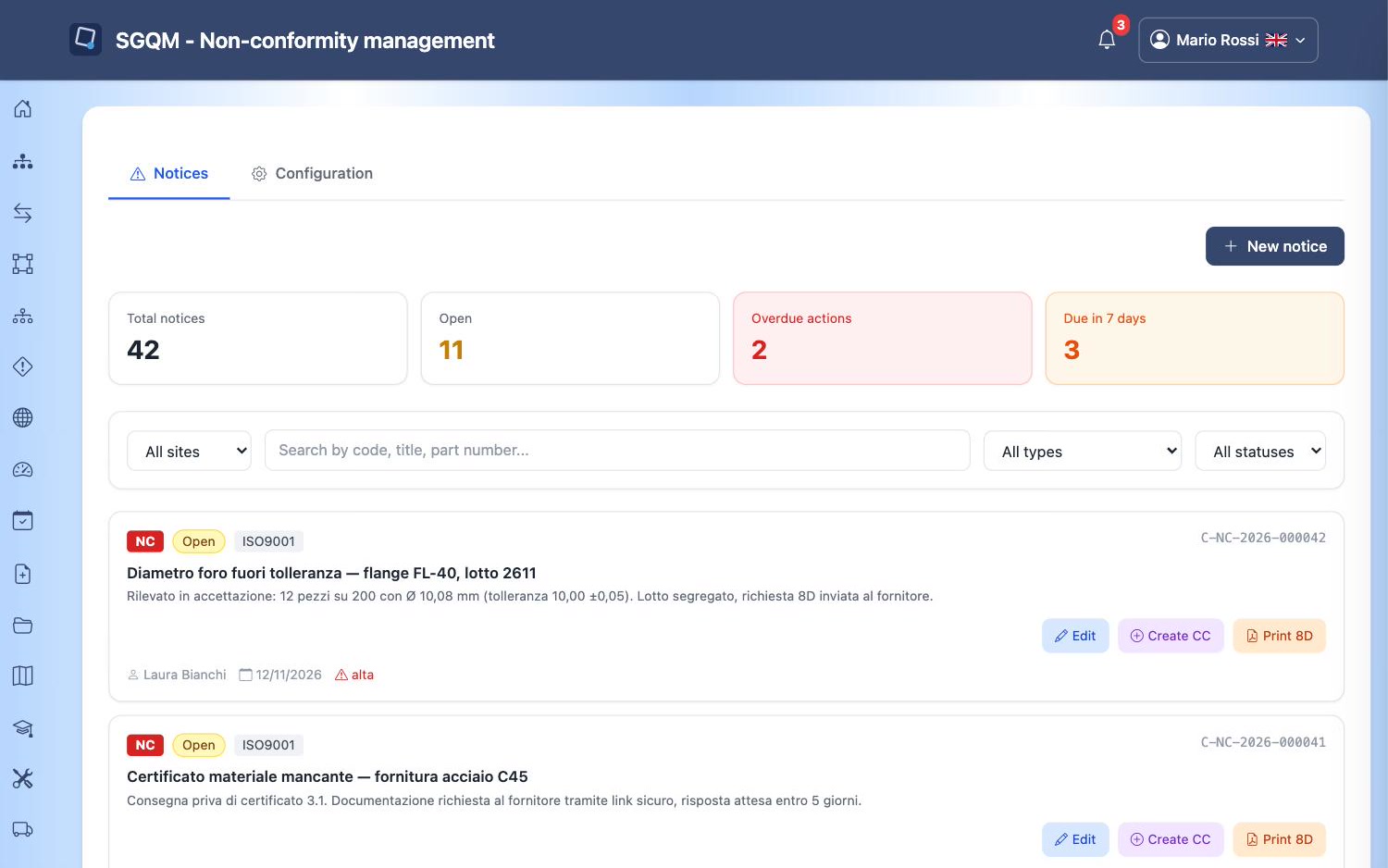
A badly managed nonconformity costs twice: when it happens and when it happens again. The method is well known; the hard part is following it through every time. SGQM makes it the natural path.
Whoever spots the problem opens the record, from a smartphone too, describing the defect and attaching photos or documents.
The analysis stays in the record, next to the defect that triggered it, and not in a separate file.
Each action has an owner and a date. Open actions are checked every day and chased automatically.
If the problem concerns a supplier, you send a protected, expiring link: they enter solution and attachments without an account, and the reply goes into the record.
The record is closed after the actions are verified. The full history of who did what remains.
The 8D report in PDF is generated with one click. Indicators update themselves, per site, per country and for the whole company.
It is an eight-step problem-solving format widely used in automotive and manufacturing: it describes the problem, containment, causes, corrective actions and prevention. SGQM generates it from the data in the record.
No. They receive an email with a protected, expiring link and reply from there, without credentials.
Yes. Indicators on quality notices are calculated automatically and can be viewed per site, per country and for the whole company.
Contact
Fill in the form and we'll get back to you within 24 hours to arrange a personalised demo.